
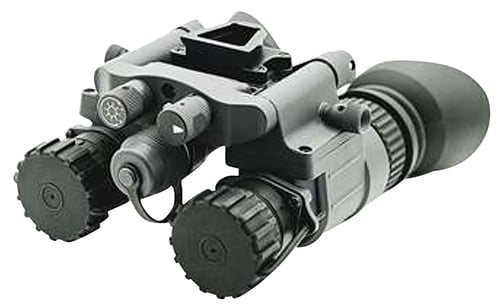
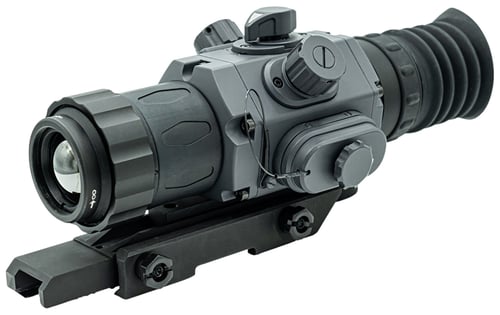
Armasight NSGNYX15M5G9DX2 BNVD-51 Gen 3 Night Vision Black
 Be the first to leave a review!
$7,166.98
product code:NSGNYX15M5G9DX2
UPC:810081910736
Brand:Third Bull
availability:Currently out of Stock
Notify me when this product comes back in stock
The Gen 3 Pinnacle BNVD-51 Night Vision binocular is exclusively available with Ghost White Phosphor Image Intensifier Tubes. Comes equipped with a built-in infrared illuminator. The BNVD-51 allows you to navigate low-light areas and even read in complete darkness. This true dual-channel night vision goggle is available in an expansive 51-degree field of view version. Armasight night vision products are encased in a tough yet compact housing that is both fog and water-resistant. Additional mounting options, sold separately allow you to use the BNVD-51 as helmet-mounted night vision goggles, adding the ability to quickly and easily move them out of the way in an instant. The BNVD articulates, allowing for it to be configured for use as a monocular over either eye, preserving your biological night vision in one eye if desired. The manual gain control lets you adjust the brightness level to your personal preference, and if the ambient light level exceeds the limits of the BNVD, the automatic protective system will shut off the Image Intensifier Tubes to prevent damage while observing under changing light conditions.
| Magnification | |
| Objective | |
| Field of View | |
| Type | |
| Generation | |
| Battery | |
| Dimensions | |
| Weight | |
| Focus Range | |
| Resolution | |
| Intensifier Tube | |
| Diopter Adjustment | |
| Controls | |
| Infrared Illuminator | |
| Battery Life | 12-20 Hours |
Leave a Review!
you may also like!


Please contact the website administrator.
| The following information is meant for the website developer for debugging purposes. | ||||||||||||||||
| Error Occurred While Processing Request | ||||||||||||||||
|
||||||||||||||||