
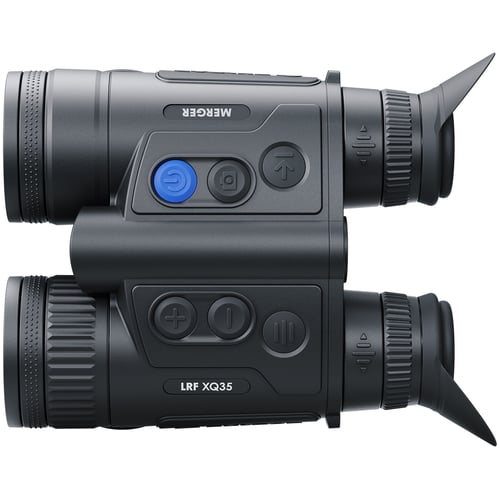
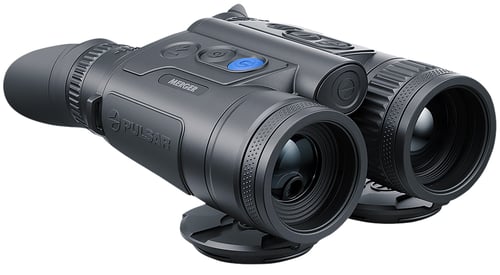
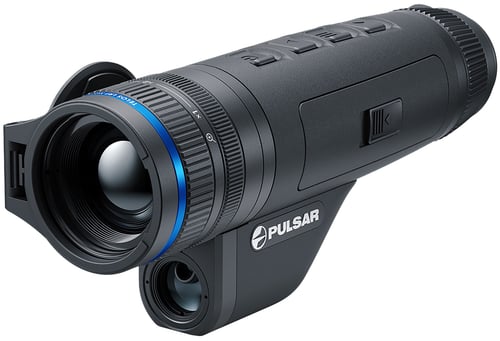
Pulsar PL77483 Merger LRF XQ35 Thermal Binocular Black 3-12x35mm 384x288, 50Hz Resolution Zoom 4x Features Laser Rangefinder
 Be the first to leave a review!
$3,696.00
product code:PL77483
UPC:810119012159
Brand:Pulsar
availability:Currently out of Stock
Notify me when this product comes back in stock
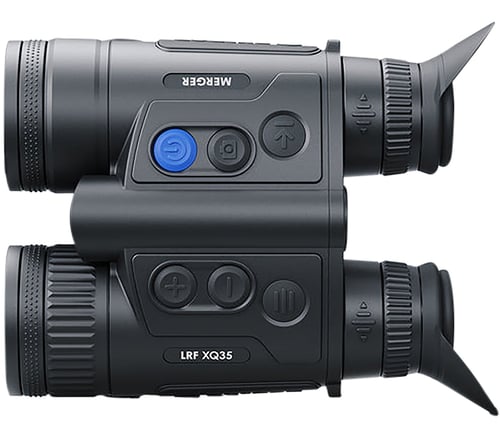
As compact as classic daytime binoculars, Merger LRF XQ35 is ideal for stalking. Merger LRF XQ35 balanced weight distribution ensures comfortable observation without fatigue during long duration observation. Featuring six functional buttons are placed in convenient spot to grant quick access to the most often used features; highly sensitive <25 mK NETD European-made Lynred sensor which qualitatively captures a useful signal under difficult observation conditions, when thermal contrast is low; built-in proximity sensor acts as a display switch for preventing backlight exposure in the dark; User Mode function saves selected brightness and contrast settings in the device's memory providing optimal image quality for the next use; a built-in laser rangefinder with a range of up to 1 kilometre allows you to measure distances in single measurements and continuous scanning modes with an accuracy of 1 meters for quick and error-free assessment.
| Magnification | 3-12x |
| Objective | 35mm |
| Field of View | 10.70 x 8 Degrees @ 100 ft |
| Type | |
| Generation | |
| Battery | Li-ion |
| Dimensions | |
| Weight | |
| Focus Range | 1350 Meters |
| Resolution | 384x288, 50Hz |
| Intensifier Tube | |
| Diopter Adjustment | |
| Controls | |
| Infrared Illuminator | |
| Battery Life | Up to 11 hrs |
Leave a Review!
you may also like!
Please contact the website administrator.
| The following information is meant for the website developer for debugging purposes. | ||||||||||||||||
| Error Occurred While Processing Request | ||||||||||||||||
|
||||||||||||||||